
Download MarginNote Pro – Premium Reading, Annotation & Study Tool
Overview
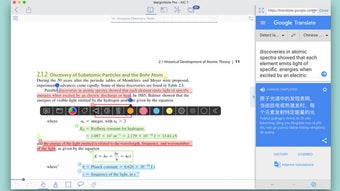
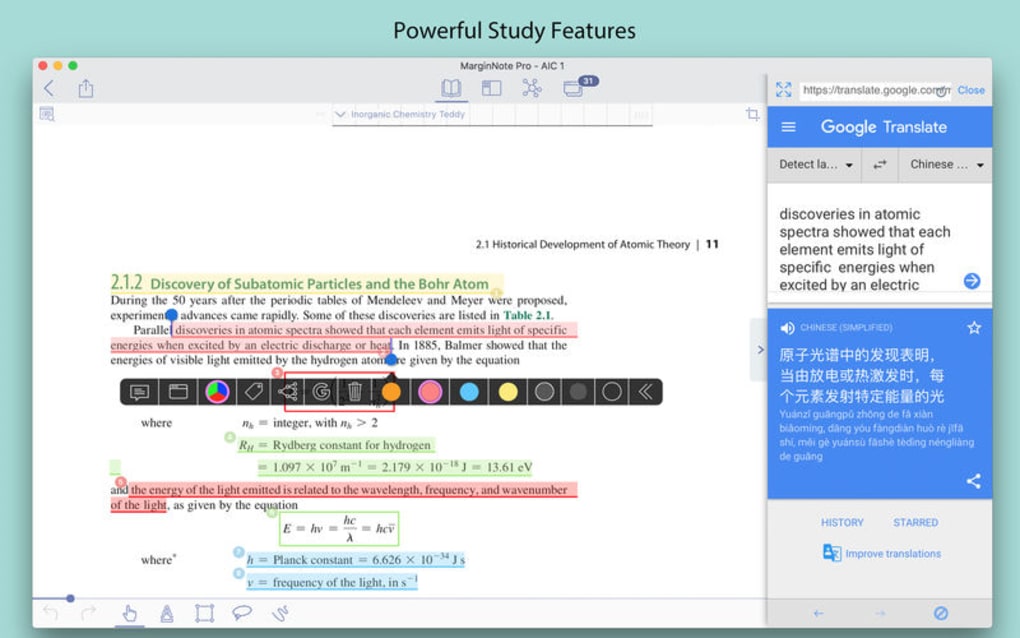
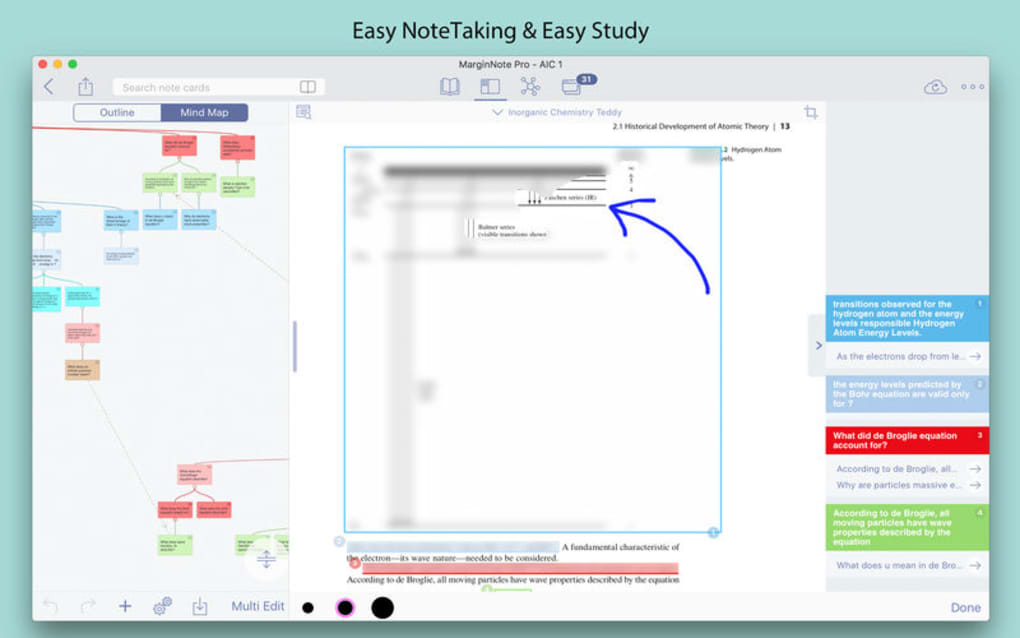
MarginNote Pro is a premium reading and studying app designed to turn dense PDFs, EPUBs, and even web pages into interactive learning experiences. Whether you’re a university student wrestling with complex textbooks, a professional preparing for certifications, or a lifelong learner diving into new subjects, MarginNote Pro equips you with a suite of annotation, mind‑mapping, and flash‑card tools that keep information organized and easily revisitable. The core of the app focuses on powerful annotation capabilities—highlighting, underlining, adding text notes, voice recordings, and sketching directly onto the document.
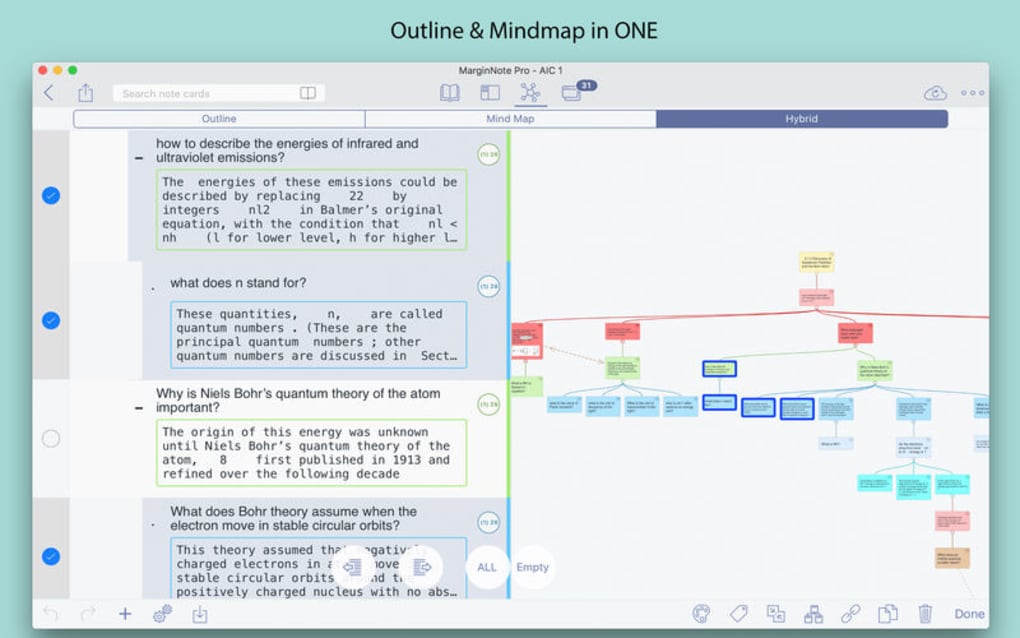
Beyond simple markup, the software lets you tag sections with hashtags, build hierarchical mind maps that visualize relationships, and automatically generate flash cards from your notes, turning passive reading into active recall. MarginNote Pro supports PDF and EPUB formats natively and can convert web pages into EPUB files, making it a versatile hub for all your study material. While the interface may feel dense at first, its depth rewards users who invest time in mastering the workflow, ultimately delivering a robust, all‑in‑one learning ecosystem.
Key Features & Capabilities
- Advanced Annotation Suite: Highlight, underline, add sticky notes, voice memos, and hand‑draw sketches directly onto PDFs and EPUBs.
- Multimedia Notes: Capture audio explanations or embed short video clips to complement textual notes.
- Hashtag Tagging: Organize and retrieve information quickly with custom hashtags across all documents.
- Mind‑Map Builder: Transform notes into hierarchical mind maps that visualize concepts, dependencies, and workflows.
- Flash‑Card Generator: Automatically create spaced‑repetition flash cards from highlighted text or annotations.
- Web‑to‑EPUB Conversion: Convert online articles or web pages into EPUB format for seamless offline study.
- Export Options: Export annotated PDFs, mind maps as images, and flash cards as CSV for use in other apps.
- Cross‑Device Sync: Keep your library synchronized across iOS, macOS, Windows, and Android via cloud services.
- Customizable Themes: Choose light, dark, or sepia modes to reduce eye strain during long study sessions.
- Resource‑Intensive Optimization: Built‑in performance settings let you balance speed and visual fidelity on older hardware.
Installation, Usage & Compatibility
Getting started with MarginNote Pro is straightforward. Visit the official website or your device’s app store, locate “MarginNote Pro,” and click the download button. The installer guides you through a standard setup—accept the license agreement, choose an installation folder (Windows/macOS), and let the wizard copy files. On mobile platforms, the app installs with a single tap. Once installed, launch the app and sign in with your email or Apple/Google ID to enable cloud sync.
After signing in, import your study material by dragging PDFs or EPUBs into the library window, or use the “Import from URL” feature to convert web pages. The intuitive toolbar at the top houses all annotation tools; hover over each icon for a tooltip. To create a mind map, select a set of notes, right‑click, and choose “Generate Mind Map.” Flash cards are produced automatically when you highlight text and mark it with the “Create Card” tag. The app also offers a “Study Mode” that cycles through flash cards using spaced‑repetition algorithms.
Supported Operating Systems:
- Windows 10 and later (64‑bit)
- macOS 10.14 Mojave and later
- iOS 13+ (iPhone & iPad)
- Android 8.0+ (tablet and phone)
While MarginNote Pro runs smoothly on modern hardware, it can be memory‑intensive when handling large PDFs with many annotations. Users on older laptops or those working on battery power should enable the “Performance Mode” in Settings, which reduces real‑time rendering while preserving core functionality.
Pros, Cons & Frequently Asked Questions
Pros
- Comprehensive annotation toolkit that supports text, audio, and sketches.
- Mind‑map and flash‑card generation automate active‑learning workflows.
- Cross‑platform sync keeps notes consistent across devices.
- Robust export options facilitate sharing and backup.
- Customizable UI themes improve comfort during marathon study sessions.
Cons
- Steep learning curve; beginners may feel overwhelmed by the feature set.
- Higher system resource usage, especially on large documents.
- Limited support for file formats beyond PDF and EPUB (e.g., DOCX, MOBI).
- Premium pricing model may deter casual users.
FAQ
-
Can I use MarginNote Pro for free?
MarginNote Pro offers a 14‑day free trial with full feature access. After the trial, a one‑time purchase unlocks all premium tools.
-
Does the app sync notes across devices automatically?
Yes. Once you sign in with the same account, your library, annotations, mind maps, and flash cards sync via the cloud in real time.
-
Can I import Microsoft Word documents?
Direct import of DOCX files is not supported. Convert the document to PDF or EPUB first, then import it into MarginNote Pro.
-
Is there a dark mode for night studying?
Absolutely. The app includes light, dark, and sepia themes, all switchable from Settings or the quick‑access toolbar.
-
How secure is my data when using cloud sync?
MarginNote Pro uses end‑to‑end encryption for all synced content. Your notes are stored on secure servers and are inaccessible without your authentication credentials.
Conclusion & Call to Action
MarginNote Pro stands out as a heavyweight in the study‑app arena, blending deep annotation capabilities with intelligent learning tools such as mind mapping and flash‑card generation. While the initial learning curve and resource demands may challenge newcomers, the long‑term payoff—greater retention, organized knowledge structures, and seamless cross‑device access—justifies the investment. If you regularly wrestle with complex texts, need a unified platform for notes, audio snippets, and visual diagrams, or simply want to transform passive reading into active learning, MarginNote Pro is worth the download.
Ready to supercharge your study routine? Download MarginNote Pro now, start the free trial, and experience a more efficient, engaging way to master any subject.







